


As workplaces become more digital, manual note-taking in meetings is becoming a thing of the past. AI note-takers can now be used to automatically record and organize discussions. What can’t be measured can’t be improved, so while recording multiple meetings unlocks new opportunities for meeting productivity, it also raises privacy and security questions, and common misconceptions.
In this article, we’ll highlight the key privacy and security considerations associated with AI note-takers and meeting recordings. Our goal is to clarify common concerns and offer practical guidance to help you select and implement a compliant solution, allowing you to boost productivity without compromising privacy or your organization's reputation.
But before diving into it, let’s take a step back and take a look at how AI note-takers work.
How Do AI Note-Takers Work?
AI note-takers are foundational to meeting automation platforms like MeetGeek, capturing, transcribing, and analyzing conversations through a structured pipeline:
Here's how the magic happens:
- Recording: Some tools, including MeetGeek, join the actual meeting hosted on a video conferencing platform as bot participants, while others record directly through browsers or desktop apps, potentially raising compliance concerns. This is an important distinction, and we’ll come back to it later.
- Transcription: The audio is converted into text using speech-to-text and diarization technologies, both AI-driven.
- Text analysis: AI features analyze the transcript to highlight key moments, decisions, and action items. Multiple LLMs can be used. Platforms like MeetGeek even automate summary delivery via email based on your preferences.
- Storage & Sharing: Recordings, transcripts, and AI-generated summaries are typically stored securely in public cloud environments, accessible through web or mobile applications.
Sounds pretty simple, but it's important to address concerns at every step before adopting a solution. We’ll take a look at each and dive in.
Common Security and Privacy Questions Regarding AI Note-Takers
TL;DR: AI note-taking apps should follow strong security practices like encryption, access controls, and strict third-party vetting to protect your data. Choosing a platform with a solid security posture that aligns with your regional and organizational requirements is your best defense against future risks.
Participants' Consent
Although recording meetings and calls is completely legal, it's important to consider several key factors when choosing and using AI meeting tools for this purpose.
From a legal standpoint, the most important factor to understand before recording a meeting or call is participants’ consent. Be aware that consent laws vary:
- One-party consent (most U.S. states): Under one-party consent laws, a conversation can be legally recorded if at least one participant consents to the recording. This means that if you are part of the conversation, you can record it without informing the other parties involved. Most U.S. states follow this rule.
- Two-party consent (e.g., European Union, California, Illinois): In contrast, two-party consent laws require that all participants in a conversation give their approval before any recording takes place. This standard is also referred to as "all-party consent". 13 states, including California, and countries from the EU follow this rule. It means you need to inform and obtain consent from the participants in your meeting.
The above are some general guidelines, but you should always check your local laws to ensure compliance.
A useful feature that platforms like MeetGeek offer is to automatically collect consent on your behalf, either before the call using email or during the call by notifying participants about the call being recorded.
This makes it easier, and you have full control (the bot can be paused or kicked out of the meeting), but this doesn’t replace your responsibility as an owner of the recording to communicate properly and stay compliant.
Important Notice:
When you record and transcribe meetings without participants' knowledge, you may face serious legal and ethical issues due to one-party or two-party consent laws, depending on your jurisdiction. Unlike MeetGeek, which clearly announces its presence by joining the call as a participant, many tools (Chrome extensions, desktop apps, even mobile phone recordings) allow for incognito recordings without notifying others.
Be transparent with participants in all your meetings. Failing to do so may not only breach trust but also violate privacy laws.
Are Your Recordings, Transcripts, and Summaries Used to Train AI?
Some platforms use customer data, like all the meetings they record and transcribe, to improve their AI models. You should always be clearly informed about this and have the option to opt out.
Be especially cautious with free platforms. Review their privacy policies and pricing models to ensure they’re not relying on your data for training or monetization.
A good practice is to check the platform’s security and privacy posture (look for pages like https://security.meetgeek.ai/) and review their list of subprocessors. Even if you’re a small company, it’s worth making this part of your vendor vetting process.
How Is My Meeting Data Stored?
Secure data storage depends on the following criteria:
- Storage location: Where your data is stored matters, especially for compliance with regional privacy laws. Leading AI tools offer data localization, meaning your data stays within a specific region (e.g., MeetGeek provides data centers in both the EU and the US to meet various regulatory requirements).
- Retention policies: Each platform has its own data retention policy. Some may store data for months or years, while others offer customizable options. Make sure you review these policies and align them with your legal or corporate compliance requirements. For many organizations, this ties directly into broader business continuity and resilience work, where you map how critical information flows and what happens if key systems go down - processes often captured in a formal business impact assessment.
How Is My Data Protected?
Your meeting data should be encrypted both in transit (as it's being transmitted) and at rest (while stored). This ensures that only authorized users can access it and helps prevent unauthorized access, leaks, or tampering.
This is especially important for remote workers joining meetings from shared or public networks, if you've ever wondered "Is public Wi-Fi safe for business meetings?" the short answer is: not without additional precautions like a VPN.
Who Can Access My Meeting Notes?
Access to your meeting data should be tightly controlled. Look for an AI assistant that uses role-based access controls (RBAC), allowing you to define exactly who can view, edit, or delete content. No one outside your authorized team should have access (you don’t want flying public links with sensitive recordings).
Check the platform’s default sharing settings, as some may automatically share the automated meeting notes (or the meeting summary) with all participants, while others let you restrict access to selected team members.
It’s also a good idea to review the company’s security posture to confirm that they enforce the principle of least privilege internally (PoLP). This means their employees can’t access your recordings or AI meeting notes unless legally required or explicitly authorized by you.
Can Transcripts Be Tampered With?
Security is all about data integrity. The platform should ensure that transcripts, recordings, and summaries can’t be modified without authorization.
Look for audit trails or version histories that track who accessed or edited the content, providing a layer of accountability and transparency.
MeetGeek’s Approach to Security and Privacy
At MeetGeek, we’re committed to delivering a secure, transparent, and privacy-first experience that empowers your team, without compromising on trust or compliance.
1. What Compliance Certifications Does MeetGeek Have?
Security and privacy are foundational, not just for customer success teams, but for the overall being of your company. That’s why we prioritize industry-leading compliance standards such as SOC 2, GDPR, and CCPA, ensuring your data is handled with the highest level of care, no matter where you operate.
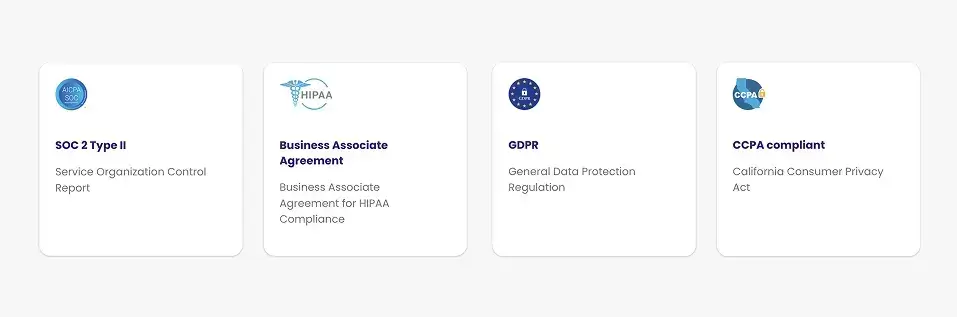
We adapt our data protection practices to meet regional requirements:
- European Union: Data is stored within the EU, and we conduct annual audits to maintain full GDPR compliance, known for its rigorous privacy standards.
- United States: We respect both one-party and two-party consent laws across states, including full adherence to the California Consumer Privacy Act (CCPA) through regular audits.
- Canada & Australia: We align with PIPEDA in Canada and the Australian Privacy Principles (APP), protecting user rights and ensuring lawful data handling in both regions.
Customers can also choose their preferred data storage location (including EU or US) to stay aligned with local legal and corporate policies.
2. Why Should EU-based Companies Choose AI Note-Takers that Store and Process Data in Europe?
If your business is based in the EU (or even if you serve EU clients), it’s essential to choose a provider, like MeetGeek, that stores and processes your data within the European Union. Here’s why:
- Stronger privacy protections: Data hosted in EU-based data centers is fully protected under GDPR, one of the world’s strictest privacy frameworks. This ensures your information isn’t subject to weaker data protection laws from other jurisdictions.
- Simplified compliance: Keeping your data within the EU eliminates the need for Standard Contractual Clauses (SCCs) and other legal hurdles related to cross-border data transfers, helping reduce risk and administrative overhead.
- Protection from foreign surveillance laws: Data stored outside the EU (such as in the U.S.) may fall under regulations like the CLOUD Act, which could expose it to foreign government access. Localizing your data in Europe adds a critical layer of legal and operational security.
- Tailored compliance guarantees: EU-based infrastructure providers often offer enhanced compliance measures specifically designed to meet European regulatory standards. This not only supports your own legal obligations but also builds greater trust with your customers and partners.
3. Are Participants Notified When Notes or Recordings Are Being Taken?
Consent and control are central to our approach, and we implement several measures to live up to it. We offer built-in safeguards to ensure everyone knows when a meeting is being recorded or transcribed.
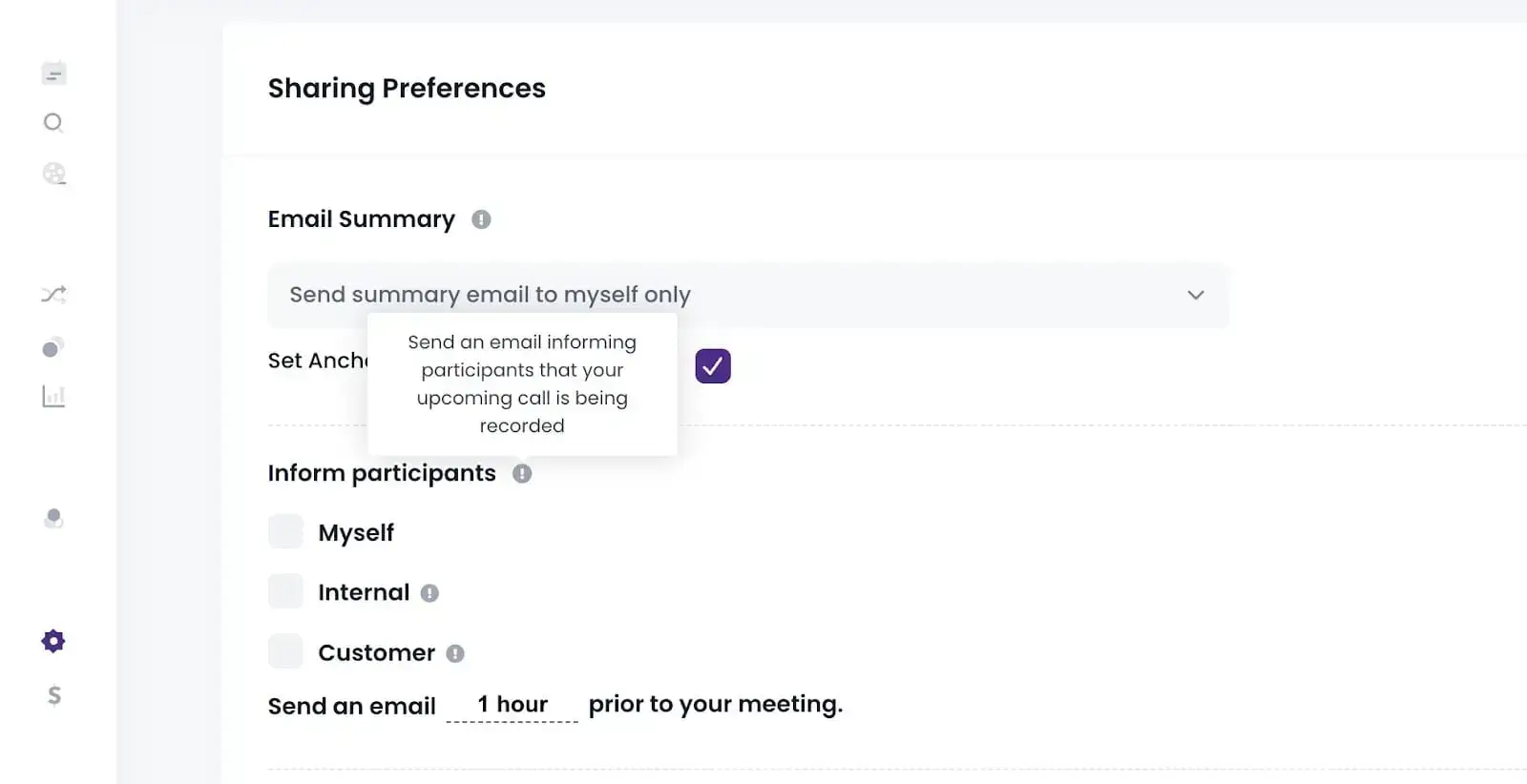
Two ways to notify participants about the meeting recording:
- Pre-meeting notifications: MeetGeek can automatically send participants an email before the meeting starts, informing them that AI-powered note-taking will be used. This gives participants time to understand what to expect and the opportunity to opt in or out.
- In-meeting notifications: Once the meeting begins and recording starts, MeetGeek displays a clear on-screen notification, ensuring all participants are aware the session is being recorded

Using AI notetakers that fail to notify participants can lead to privacy violations, legal risk, and loss of trust, especially when dealing with external partners or customers.
With MeetGeek, you stay compliant and transparent by default—protecting your organization and keeping communication clear at every step.
4. Do I Have Control Over Which Parts of the Meeting Are Recorded?
Absolutely. MeetGeek gives you full control over what gets recorded, so you can protect sensitive conversations while still capturing what matters.
You can manage recordings in two ways:
- Before the meeting: In the Upcoming Meetings section of the web platform, mobile app, or Chrome Extension, you can select which meetings should be recorded or not.
- During the meeting: Need to stop recording mid-meeting? You can remove the MeetGeek Notetaker via the native controls in Google Meet, Microsoft Teams, Zoom, or directly from our apps.
This flexibility ensures that you stay in control of your recordings at all times.
5. Can Someone Edit a Meeting Recording to Misrepresent What Was Said?
No. MeetGeek preserves the original audio and video files in their original form. This guarantees a single source of truth, preventing any tampering or misrepresentation.
However, you can manage and enhance the content around your meetings:
✔️ Transcripts & Summaries: You can correct AI summaries for accuracy or clarity.
✔️ Annotations & Notes: Add highlights, comments, and action items or key points to help track outcomes and follow-ups.
6. Does MeetGeek Use Recorded Data to Train AI Models?
No. MeetGeek does not use your meeting recordings, transcripts, or any other user data to train AI models. Our AI is trained solely on publicly available datasets, and your private data remains exactly that: private.
Our business model is built around subscriptions, not data monetization. We have no incentive to train on or sell your data, as privacy and trust are core to how we operate.
7. Where and How Is My Data Stored in MeetGeek and for How Long?
Your meeting data, including recordings, transcripts, AI-generated notes, and file uploads, is securely stored in a cloud-based infrastructure across multiple geographically distributed data centers. This setup ensures high availability, resilience, and compliance, no matter your subscription plan.
We follow default retention schedules based on:
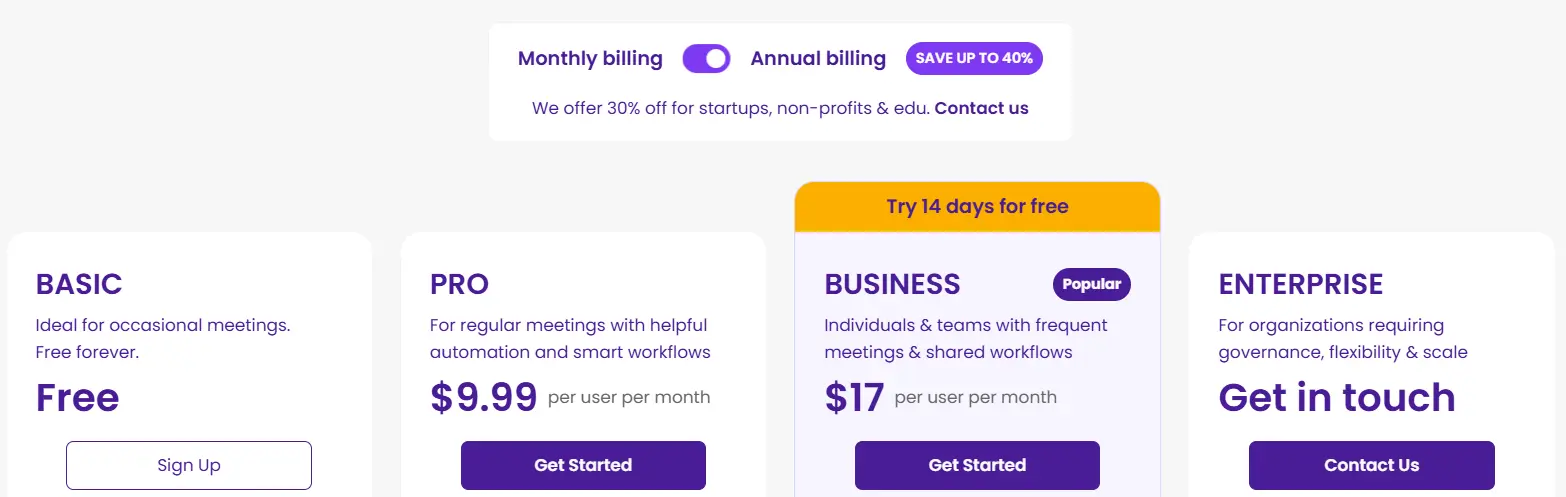
- Your subscription tier (see our Pricing page),
- Your custom user or company-level settings, and
- Applicable legal requirements.
You can always adjust how long your data is retained, giving you full control over its lifecycle.
8. Can I Manage Who Has Access to Notes and Recordings?
Yes! MeetGeek gives you robust access controls, so only authorized users can view or manage your meeting notes, recordings, and transcripts.
Here’s how default access works in MeetGeek:
- Meeting bot owner (not necessarily the meeting host): Has full control over the recording, transcript, and summaries produced from your video calls. They decide how and with whom the content is shared.
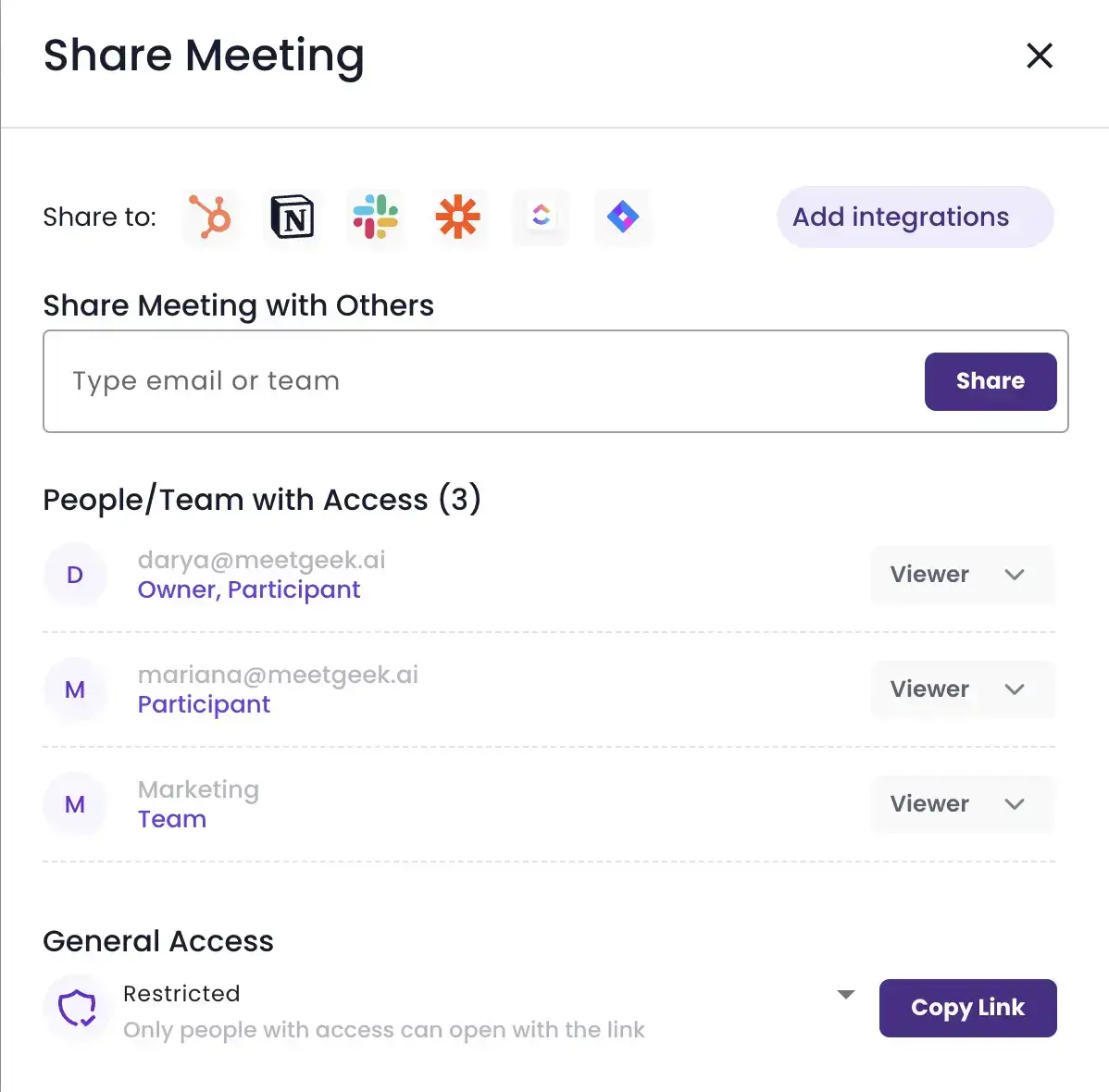
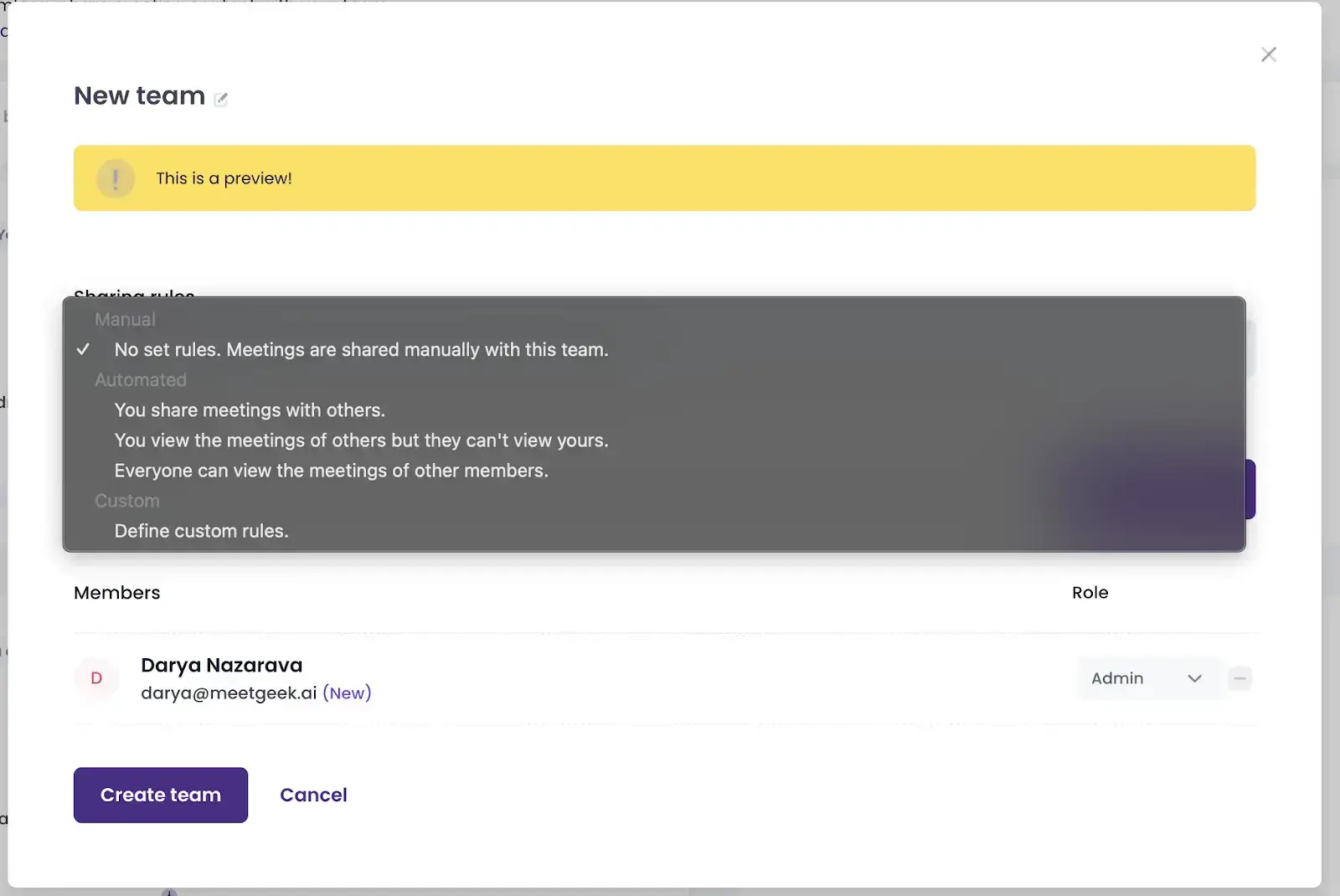
- Team members: Only have access if the organizer chooses to share the meeting. MeetGeek also allows you to create custom teams with tailored access rules for shared meetings.
- External participants: Individuals who were not in the meeting cannot access any content unless the organizer explicitly grants them permission (especially useful for customer calls).
With these flexible and secure access settings, MeetGeek helps you protect sensitive discussions while still making collaboration simple and seamless.
9. Can MeetGeek Access My Meeting Recordings and Notes?
No. MeetGeek employees do not have access to your meeting recordings or content by default. Access is strictly limited to a small group of authorized personnel, and only in the following cases:
- When you explicitly request support, or
- When access is required for legal or compliance reasons.
To ensure full accountability, we maintain comprehensive logging and monitoring systems that track any data access by MeetGeek staff. This guarantees transparency and strict adherence to our internal security standards.
To learn more about how we protect your data and to review our detailed security policies, please visit our Security Portal.
10. Who Owns the Meeting Data in MeetGeek?
You do. MeetGeek does not claim any ownership over your meeting content. Everything recorded, transcribed, or summarized during your meetings remains your private property.
The meeting organizer (the person who scheduled or initiated the recording via MeetGeek) holds full control over the data and decides how it’s accessed or shared.
We do not ever use, sell, or distribute your recordings. Your data remains yours, secure, and under your control.
A Secure Future for Your Meetings With MeetGeek
AI-powered meeting assistants can dramatically boost productivity, but only if they’re built on trust. MeetGeek is designed to be secure, compliant, and privacy-first from the ground up.
We follow industry-leading security standards, adhere to global privacy laws, and give you full control over unlimited meetings, whether you’re online on Google Meet, Microsoft Teams, Zoom, or offline using our apps.
With MeetGeek, you can ensure your future meetings are organized, secure, and fully yours (even for our free version!).





.avif)